
Find Your Nearest Timken Sales Office or Authorized Distributor

Our locator tool helps you connect with the right Timken partner quickly. Registered users
can save their nearest Timken Sales office or distributor in their dashboard.

Analyze Bearing Performance in an Application with Timken ® Syber ® Bearing System Designer

A powerful software tool that combines calculators and configurators to assist you with application design, bearing selection, installation, and troubleshooting. It’s free, easy-to-use, and accessible 24/7.

Learn More
Explore Timken Engineering Tools
Videos on YouTube

Check out our Engineering Tools video playlist on YouTube. These short walkthroughs
help you navigate Timken calculation tools, selection guides and digital resources.

Batch CAD Cart (0)
  • Cart is empty
  • Drives-Diamond Icon

    Diamond/Drives Chain Configurator™



    Diamond® and Drives® Chain Configurator is a state-of-the-art configurator which allows customers to build a custom chain within a full 3D window. Chains can then be downloaded into any 3D format needed or published to a PDF to allow for simple ordering with your Drives® or Diamond® customer service. Visit chain.timken.com to start building your own custom chain for Diamond® ANSI, Diamond® British Standard or Drives® ANSI.

  • Chain Engineer Thumbnail for CAD

    Chain Engineer™ is a collection of robust tools designed to assist in the selection and maintenance of chain driven applications. Interchange chain and attachments, select the right drive chain or conveyor chain for your job and track elongation of leaf chain, roller chain or kiln drier chain. Easy to use and accessible as a desktop or mobile app for use in the office and on location.
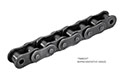
  • Drives chain single pitch image
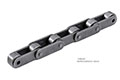
  • Drives chain double pitch image